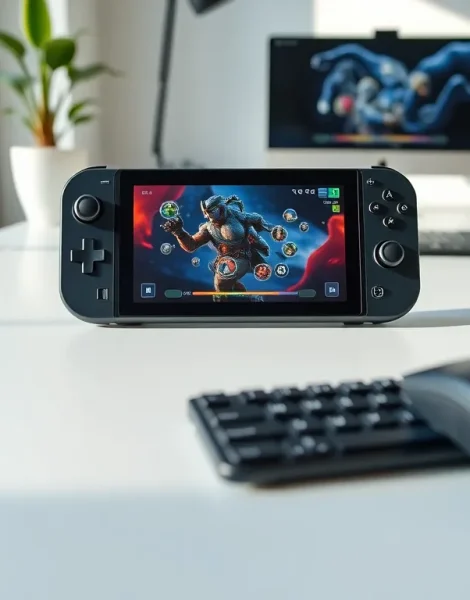
Steam Deck examples show just how versatile Valve’s handheld PC has become since its 2022 launch. Gamers play AAA titles on the go. Hobbyists run emulators for classic consoles. Some users have turned the device into a portable workstation. The Steam Deck does more than play Steam games, it functions as a full Linux-based computer in a compact form factor. This article covers the most popular ways people use their Steam Decks, from gaming to productivity and everything in between.
Table of Contents
ToggleKey Takeaways
- Steam Deck examples range from AAA gaming to emulation, productivity, and media streaming, showcasing the device’s versatility.
- Popular games like Elden Ring, Hades, and Baldur’s Gate 3 run smoothly on the Steam Deck with optimized settings.
- EmuDeck makes retro gaming easy by automatically configuring emulators for platforms from NES to GameCube and beyond.
- Desktop Mode transforms the Steam Deck into a functional Linux PC for office work, web browsing, and light programming.
- Adjusting settings like FSR and capping frame rates at 40 FPS balances visual quality with battery life for optimal gaming.
- Non-gaming Steam Deck examples include game streaming, music production, home automation control, and 3D printer monitoring.
Popular Games That Run Exceptionally Well
The Steam Deck handles a surprising range of modern games. Valve maintains a compatibility database that rates titles as “Verified,” “Playable,” or “Unsupported.” Many AAA games fall into the first two categories.
Elden Ring runs smoothly on the Steam Deck at 30-40 FPS with medium settings. The 7-inch screen makes the game’s dark fantasy world feel immersive during portable play. Players report dozens of hours without major issues.
Hades stands out as a near-perfect Steam Deck example. The roguelike’s art style looks sharp on the handheld display. Its run-based structure fits portable gaming sessions well. Players can complete a run in 20-30 minutes.
Stardew Valley performs flawlessly. The farming sim’s pixel art scales beautifully. Battery life extends to 5-6 hours with this lighter title. Many users call it their go-to travel game.
Cyberpunk 2077 surprised many Steam Deck owners. After patches and optimization, it runs at 30 FPS on low-to-medium settings. The game looks impressive on the smaller screen even though the graphical compromises.
Baldur’s Gate 3 earned Verified status after launch. Larian Studios optimized the RPG specifically for the Steam Deck. Players enjoy the turn-based combat during commutes or lunch breaks.
Other strong Steam Deck examples include:
- Vampire Survivors – perfect for quick sessions
- The Witcher 3 – runs well after FSR tweaks
- Portal 2 – Valve’s own game performs excellently
- Dead Cells – fast action suits handheld play
The key to good performance often involves adjusting settings. Most games benefit from enabling FSR (FidelityFX Super Resolution) and capping frame rates at 40 FPS. These tweaks balance visual quality with battery life.
Creative Non-Gaming Uses
Steam Deck examples extend far beyond traditional gaming. The device runs SteamOS, a Linux-based operating system. This opens doors to creative applications.
Some owners use the Steam Deck as a streaming device. Apps like Moonlight and Chiaki let users stream games from their main PC or PlayStation. The handheld becomes a thin client for more powerful hardware. This approach preserves battery life while accessing demanding titles.
Music production has found a niche audience. Users install Audacity or LMMS through Desktop Mode. The Steam Deck handles basic audio editing and beat-making. It won’t replace a proper workstation, but it works for sketching ideas.
Media consumption ranks high among non-gaming uses. Netflix, YouTube, and Plex run through web browsers or dedicated Linux apps. The screen’s 1280×800 resolution suits video content well. Some users dock their Steam Deck to a TV for a larger viewing experience.
A few enterprising owners have turned theirs into home automation controllers. They run Home Assistant dashboards on the device. The touchscreen makes controlling smart home devices intuitive.
3D printing enthusiasts use the Steam Deck to monitor and control their printers remotely. OctoPrint interfaces work through the browser. They can check print progress from anywhere in the house.
These Steam Deck examples demonstrate the hardware’s flexibility. The device costs less than many tablets while offering more functionality. Its game controller inputs add utility that standard tablets lack.
Emulation and Retro Gaming Possibilities
Emulation represents one of the most popular Steam Deck examples among retro gaming fans. The handheld’s x86 architecture runs emulators efficiently. Users access decades of gaming history on a single device.
EmuDeck simplifies the setup process. This community-created tool installs and configures multiple emulators automatically. It handles everything from NES to PlayStation 2. The software saves hours of manual configuration.
The Steam Deck emulates these platforms well:
- Nintendo Entertainment System – flawless performance
- Super Nintendo – perfect emulation
- PlayStation 1 – runs every game tested
- Nintendo 64 – most titles work smoothly
- PlayStation 2 – many games hit full speed
- GameCube/Wii – Dolphin emulator performs excellently
- Nintendo Switch – some games run through Yuzu/Ryujinx
PlayStation Portable emulation through PPSSPP deserves special mention. Games like Crisis Core and Monster Hunter Freedom Unite run better than on original hardware. The Steam Deck’s screen outclasses the PSP’s display significantly.
GameCube games feel particularly natural on the Steam Deck. Titles like Wind Waker and Metroid Prime run at higher resolutions than the original console. The control layout matches well enough for comfortable play.
These Steam Deck examples require users to provide their own game files legally. The emulators themselves are legal software. Many retro gamers already own physical copies of these classics.
The community has created optimized settings for thousands of games. Forums and Discord servers share configurations that maximize performance. New Steam Deck owners benefit from years of collective testing.
Productivity and Desktop Mode Applications
Desktop Mode transforms the Steam Deck into a functional Linux PC. Users connect keyboards, mice, and monitors through the USB-C port or a dock. The device runs standard desktop applications.
LibreOffice comes pre-installed in Desktop Mode. Users create documents, spreadsheets, and presentations. The software handles most office tasks competently. Students have written papers on their Steam Decks during travel.
Web browsing works well through Firefox or Chrome. The Steam Deck manages multiple tabs without slowdown. Users check email, research topics, and browse social media. The experience mirrors a budget laptop.
Visual Studio Code runs for light programming tasks. Developers write and test code on the go. The Steam Deck won’t compile large projects quickly, but it handles scripts and web development. Some programmers use it as a backup development machine.
Discord and other communication apps work in Desktop Mode. Gamers coordinate with friends while away from their main setups. The built-in microphone and speakers suffice for voice chat.
These productivity Steam Deck examples work best with external peripherals. The built-in controls aren’t ideal for typing or precise cursor movement. A portable keyboard and mouse improve the experience dramatically.
File management happens through the Dolphin file manager (not the emulator). Users transfer files, organize folders, and access network drives. The Steam Deck connects to NAS devices and cloud storage services.
The 16GB of RAM helps multitasking. Users run a browser, music player, and document editor simultaneously. Performance stays responsive for everyday tasks.