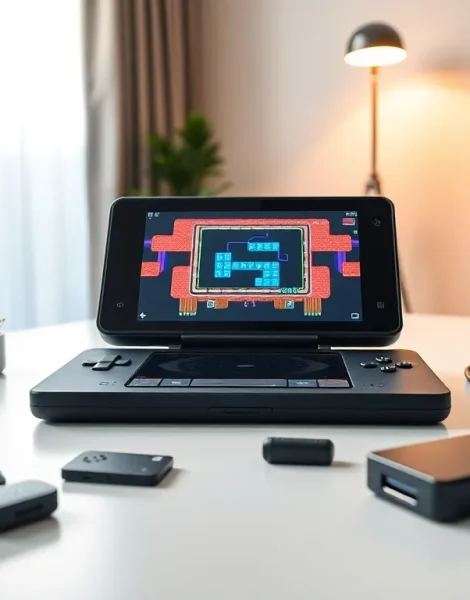
The Steam Deck delivers far more than portable Steam gaming. Most owners barely scratch the surface of what this handheld PC can do. These Steam Deck ideas will help players transform their device into a retro gaming machine, media center, productivity tool, and more. Whether someone just unboxed their Deck or has owned one for months, there’s always a new project waiting. This guide covers practical ways to expand the Steam Deck’s capabilities and get serious value from Valve’s impressive hardware.
Table of Contents
ToggleKey Takeaways
- The Steam Deck transforms into a retro gaming powerhouse using EmuDeck or RetroArch, supporting consoles from NES to PlayStation 2 in minutes.
- Streaming apps like Netflix, Disney+, and YouTube run smoothly on the Steam Deck, making it a versatile portable media center.
- Heroic Games Launcher and Lutris unlock access to Epic Games Store, GOG, and other non-Steam libraries on your device.
- Desktop Mode enables productivity tasks including office work, photo editing, and even coding with tools like LibreOffice and VS Code.
- Essential Steam Deck ideas for hardware upgrades include adding a docking station for TV play and expanding storage with microSD cards up to 1TB.
- A USB-C hub with external peripherals transforms the Steam Deck into a capable portable workstation for travel.
Transform Your Steam Deck Into a Retro Gaming Powerhouse
One of the most popular Steam Deck ideas involves turning the device into the ultimate retro gaming machine. The hardware easily handles emulation for consoles ranging from the NES to the PlayStation 2 and GameCube.
EmuDeck stands out as the go-to solution. This all-in-one installer configures multiple emulators with optimized settings. Users download it, run the setup, and get access to systems like SNES, Genesis, N64, Dreamcast, and dozens more. The whole process takes about 15 minutes.
For those who want more control, RetroArch offers a unified interface for nearly every classic system. It runs natively on the Steam Deck and integrates directly into Gaming Mode. Players can add their ROM library and launch games just like any Steam title.
Some Steam Deck ideas for retro gaming include:
- Setting up shader filters that mimic CRT scanlines
- Creating custom controller profiles for each emulated system
- Using Steam ROM Manager to add box art and metadata
- Building a portable arcade setup with a dock and external controllers
The Steam Deck’s controls map perfectly to classic games. The trackpads work great for systems that originally used a mouse, like DOS games or the Nintendo DS. Players report hundreds of hours of retro gaming without performance issues.
Use Your Steam Deck as a Portable Media Center
The Steam Deck doubles as an excellent media consumption device. Its 7-inch screen and solid speakers make it perfect for streaming and local video playback.
Streaming Apps
Players can install Netflix, Disney+, Hulu, and other streaming services through the Discover store in Desktop Mode. These apps run in a browser container but work smoothly for most content. YouTube also performs well, and the Steam Deck handles 4K video when docked to an external display.
Local Media Playback
VLC and Kodi install easily on the Steam Deck. Both support nearly every video and audio format. Users load movies onto an SD card and watch them anywhere, on planes, in hotels, or during long commutes.
Music and Podcasts
Spotify has a native Linux client that runs on the Deck. Podcast apps like AntennaPod also work without issues. The device becomes a capable audio player with Bluetooth headphone support.
These Steam Deck ideas for media consumption make the device useful beyond gaming. Some owners use their Deck primarily as a travel entertainment system. The battery lasts 4-6 hours for video playback, which beats most streaming sessions.
Play Non-Steam Games and Expand Your Library
The Steam Deck runs more than just Steam games. Players can access their entire PC gaming library across multiple storefronts.
Heroic Games Launcher provides access to the Epic Games Store and GOG libraries. Installation takes minutes, and most games run with Proton compatibility. All those free Epic games finally have a purpose.
Lutris handles games from other sources, including older titles that need specific configurations. It manages Wine prefixes and dependencies automatically.
For Xbox Game Pass, players install Microsoft Edge and stream games through the cloud gaming service. The experience works surprisingly well over a solid Wi-Fi connection. This Steam Deck idea gives access to hundreds of games without using any storage space.
Adding Non-Steam Games
Steam itself allows users to add external executables. Players can launch GOG installers, indie games from itch.io, or even Windows applications through Proton. The “Add a Non-Steam Game” option makes almost anything playable in Gaming Mode.
Popular Steam Deck ideas for library expansion:
- Claiming every free Epic game weekly (they’re playable on Deck)
- Installing DRM-free GOG versions of owned games
- Setting up cloud saves across different launchers
- Running MMOs like Final Fantasy XIV or Guild Wars 2
Desktop Mode Projects and Productivity Uses
The Steam Deck runs a full Linux desktop. Switching to Desktop Mode opens up productivity applications and creative projects.
Office Work
LibreOffice comes pre-installed and handles documents, spreadsheets, and presentations. Google Docs runs perfectly in Firefox or Chrome. Some owners use their Steam Deck as a backup laptop for basic tasks.
Creative Projects
Krita provides a capable drawing and painting application. GIMP handles photo editing. Audacity works for audio recording and editing. These Steam Deck ideas turn the device into a portable creative workstation.
Development and Coding
VS Code installs through Flatpak and runs smoothly. The Steam Deck can serve as a lightweight development machine for web projects or scripting. Some developers use it for testing Linux builds of their games.
Web Browsing and Communication
Firefox and Chrome both perform well. Discord runs natively for voice chat and messaging. The Steam Deck handles everyday computing tasks when connected to a keyboard and mouse.
Practical Steam Deck ideas for productivity include setting up a portable workstation with a USB-C hub, external monitor, and wireless peripherals. The device handles light work surprisingly well.
Essential Accessories and Hardware Upgrades
The right accessories unlock more Steam Deck ideas and improve the overall experience.
Docking Stations
Valve’s official dock and third-party alternatives like the JSAUX dock add HDMI output, USB ports, and Ethernet. Players connect their Steam Deck to a TV and use it as a console. Some docks include additional SD card slots for more storage.
Storage Upgrades
A high-capacity microSD card instantly expands the game library. Cards with 512GB or 1TB capacity cost less than $100 and hold dozens of games. The Steam Deck reads these cards at reasonable speeds.
For the technically inclined, swapping the internal SSD provides faster storage. The 2230 form factor NVMe drives range from 512GB to 2TB. This upgrade requires opening the device but takes about 20 minutes.
Protective Gear
A quality carrying case protects the Steam Deck during travel. Screen protectors prevent scratches. These basic accessories cost little but save expensive repairs.
Controller Add-ons
Grip cases improve comfort during long sessions. External controllers like the 8BitDo Ultimate work wirelessly for couch gaming. A keyboard and mouse setup turns the Deck into a proper desktop.
These Steam Deck ideas for hardware improvements help owners customize their setup based on how they use the device.